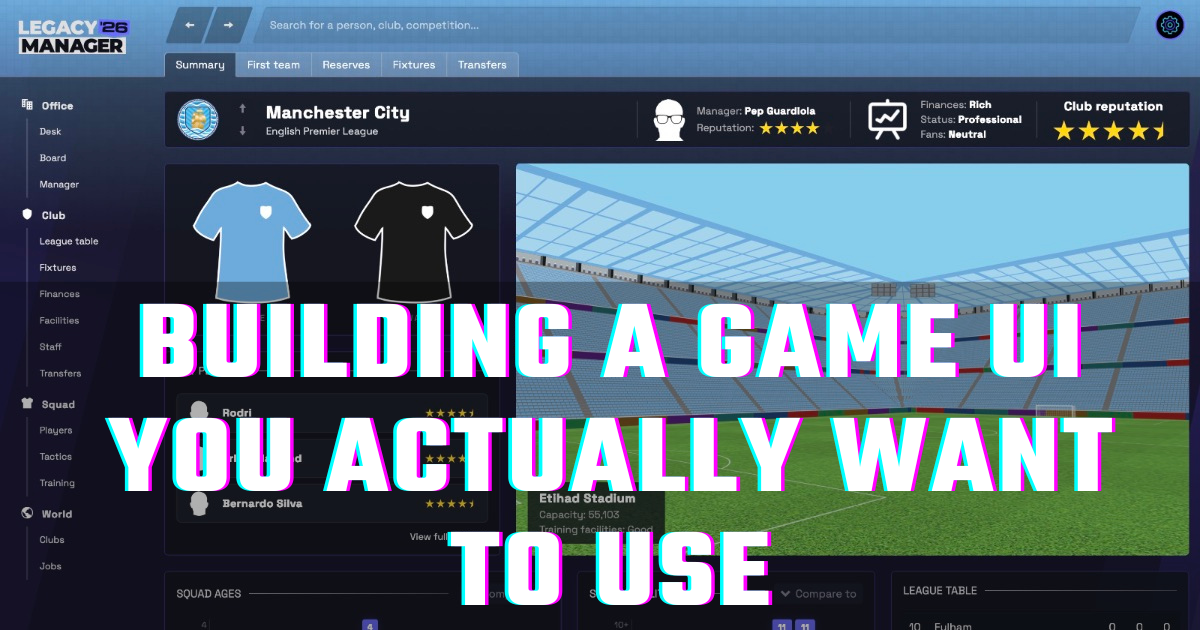
A beautiful and intuitive interface isn't a luxury, it's a necessity. The Legacy Manager interface work began way back in 2023 when the original plan was to launch the game as a multiplayer online game. I'll go over why it later changed direction and become a full desktop app in another post, but for now I thought it would be interesting for you to see how the UI has progressed through the last few years, and hear some of the reasoning behind it.
The early days
When Legacy Manager was a web based game that was getting close to being playable, I hired a designer to put together some designs for me. He had a history of posting re-design concepts on various design websites, and had done a few based on ideas he had for improving the UI in games like Football Manager.
There were a few things I knew I wanted, but gave him quite a loot of flexibility outside those key areas. The thing I was most insisitant on was a simple, left-sided nav for accessing the main areas of the game with minimal clicks, dropdowns and expanding menus.
After a month or so of working together, here is what he delivered to me via Figma design files
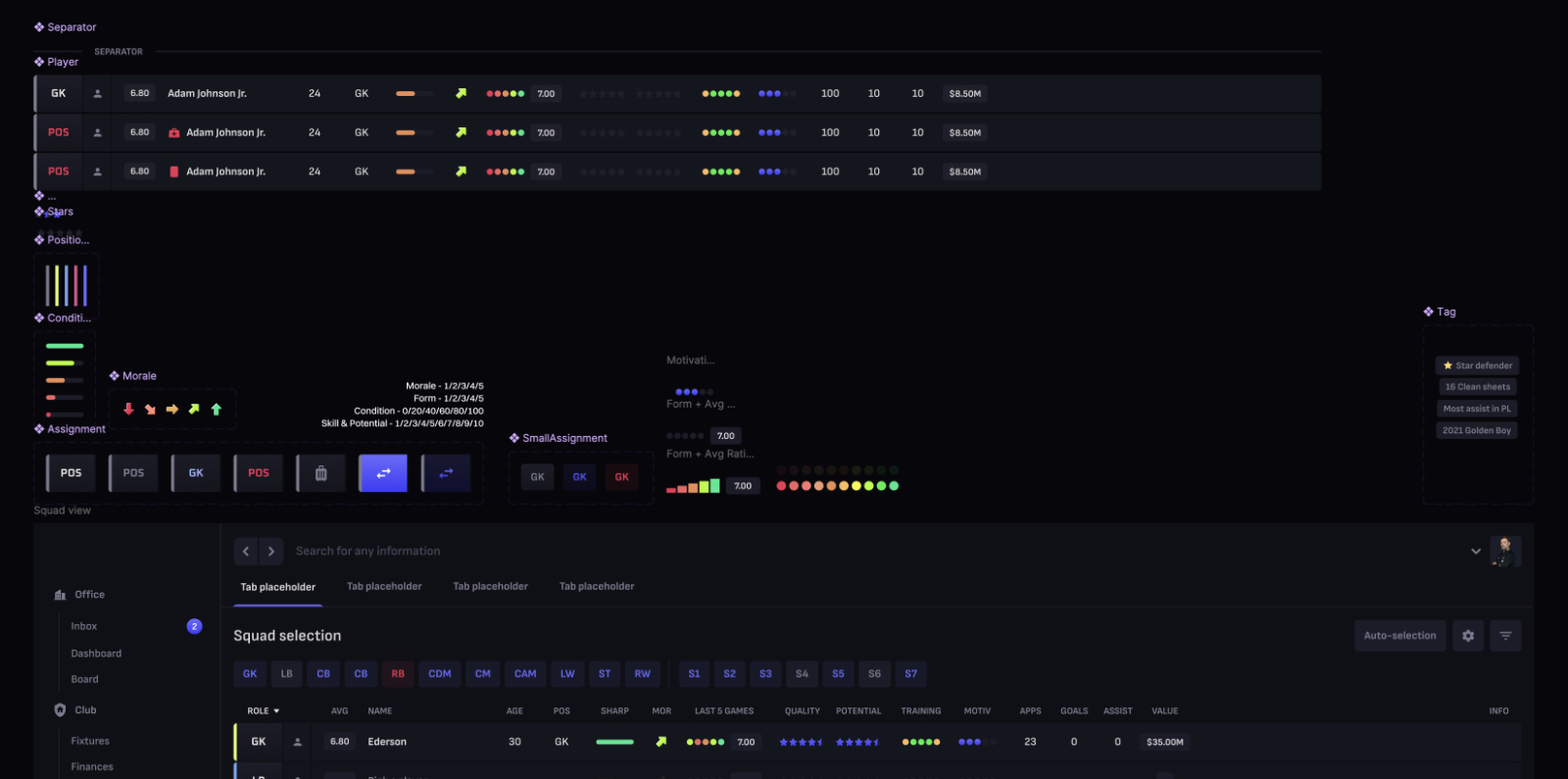
First we have a number of generic controls and design concepts to be used throughout the pages. These formed the basis of everything that came later in page designs
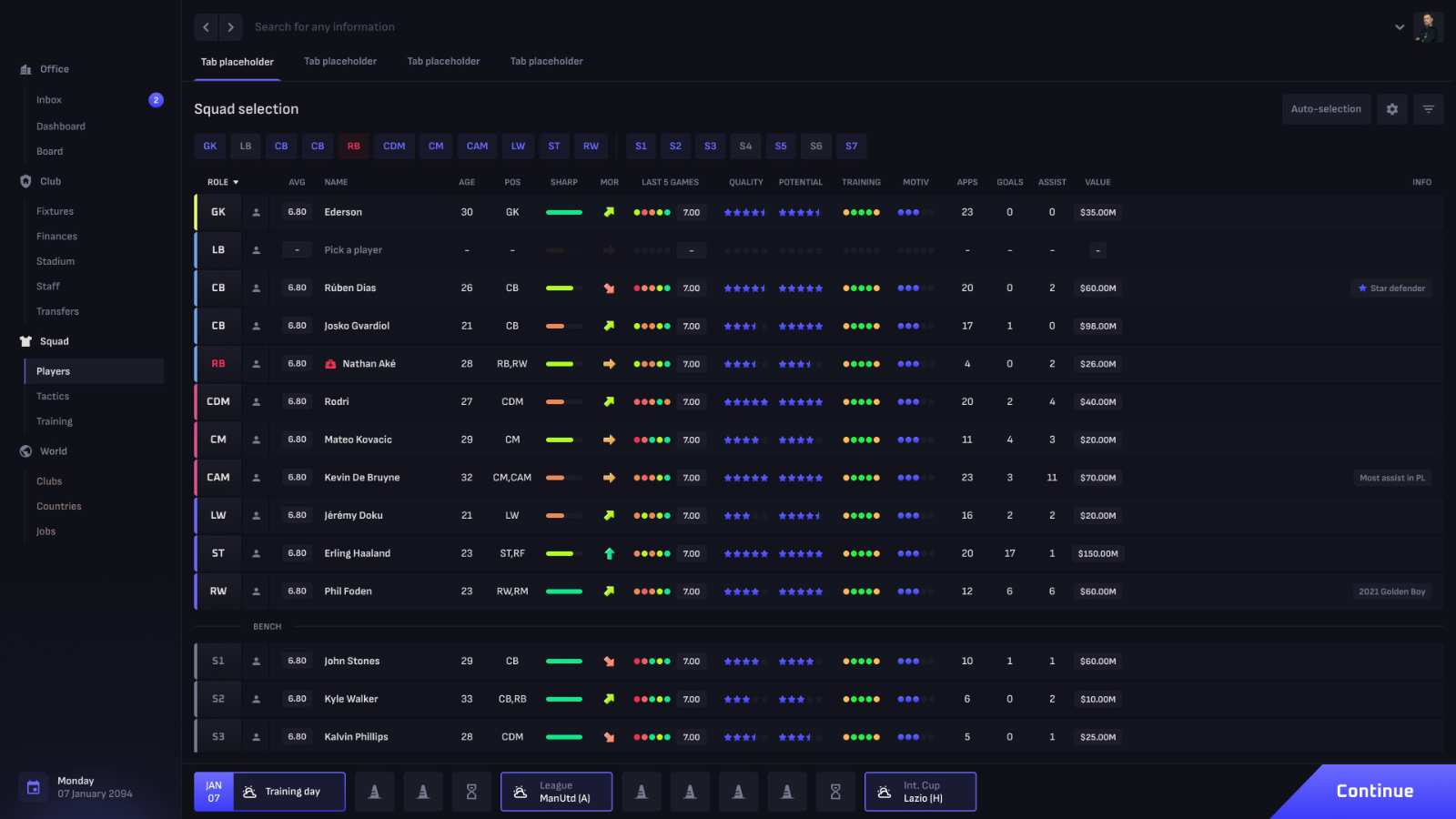
Then we worked on delivering the first full page, starting with what I expected to be the most complex - the squad view.
This early UI still forms the basis of the app now, more than 2 years later. We have a fixed left menu allowing single-click access to the most commonly used areas of the game, simple back, forward and search controls at the top, sub-tabs for navigating within sections, and the quick-look calendar at the bottom.
Navigation was simple and always visible, the most important things to me in a game containing a lot of data and options.
The retro-feel diversion
I was always keen to make the game feel like the older management games I'd played as a kid. Games that were easy to pick up and play, and that allowed you to play a season or two in an evening.
For a while, I played with the idea of giving the UI a retro feel as well, and these pixel style versions made it in to the game for a while. They follow the same design as above, but with retro fonts and images.
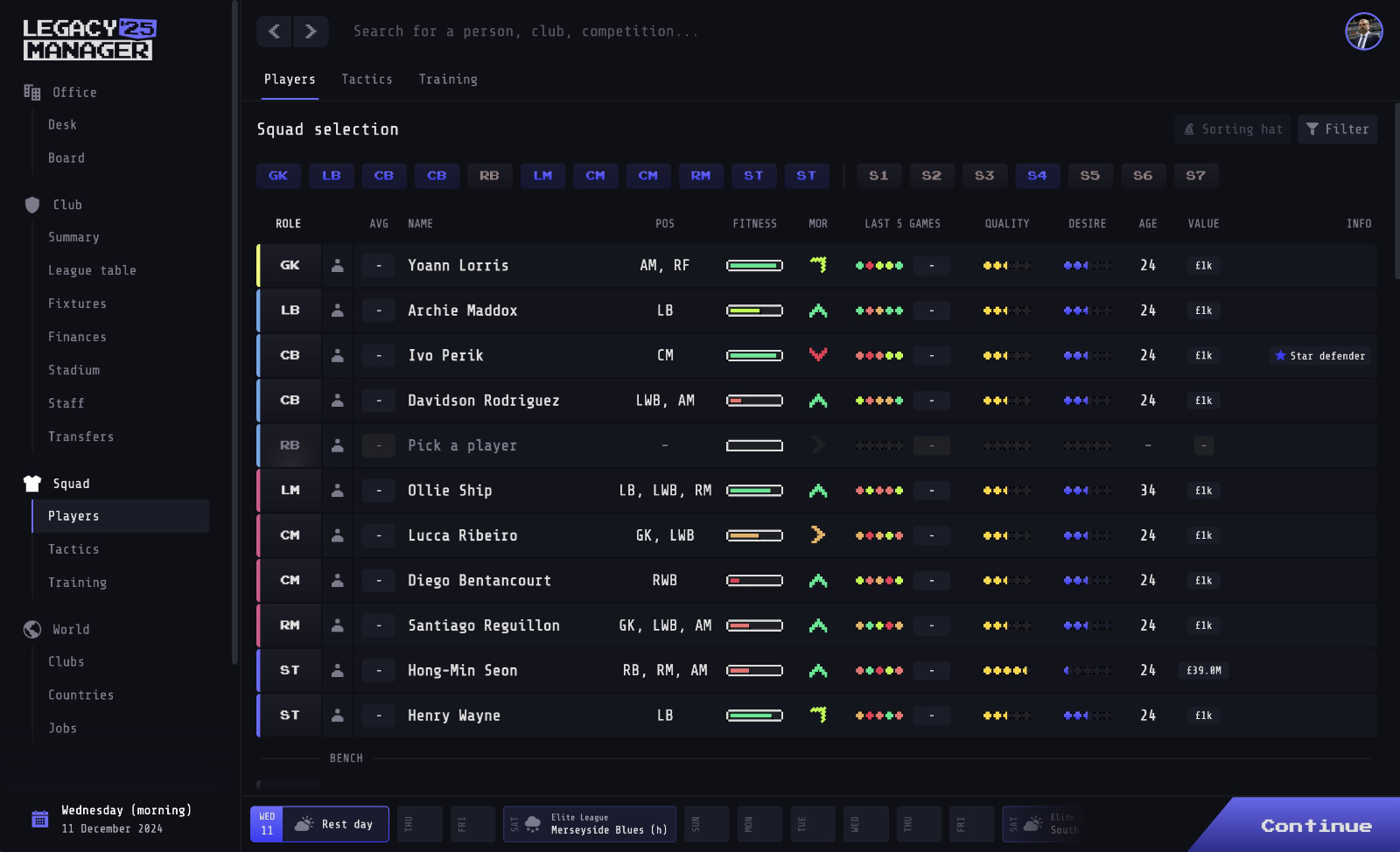
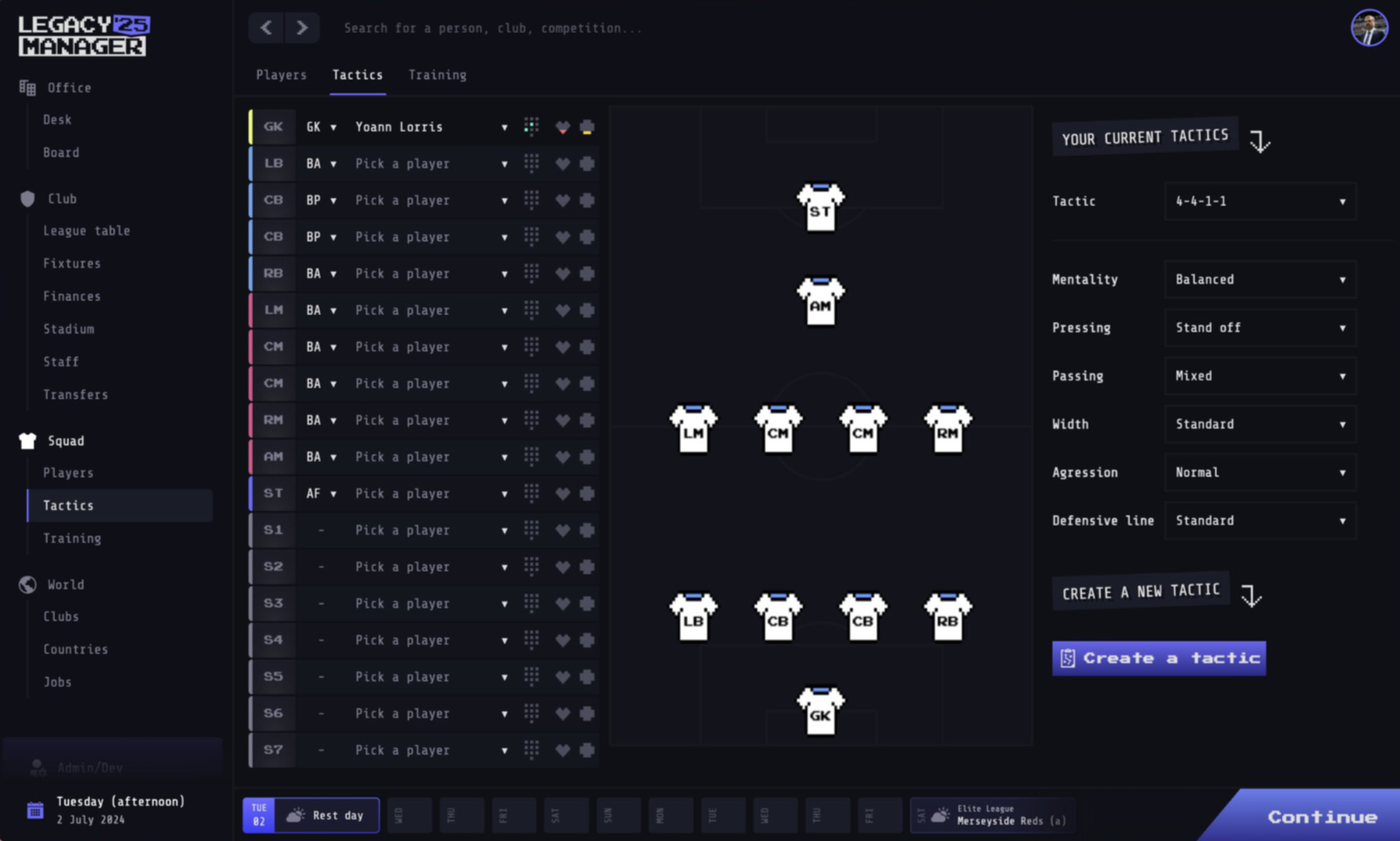
You can see that the layout and logic of the whole thing is still the same, but fonts, image styles etc have become more block and a little more old-school.
This UI actually stayed in game for nearly a year while I focussed on other things, but as work continued I felt it was holding me back. I was limiting myself in what I could do design-wise, and I also quickly got tired of the look.
At this stage I had a bit of a re-think. What I'd set out to acheive was a game that felt like the games of old, Something that was quick and fun to play. How it was styled wasn't necessary to achieve that, and the style was actually becoming a distraction. A UI should stay out of the way, not fight for attention.
Back to the original style
By this time the game was a fully desktop-only app, re-built in Rust for a fast and modern game. For the technical people out there, I'll go in to the re-write in Rust at a later date.
During the re-write I reverted back to something closer to the original designs, but with one major change.
Everything felt a bit same-y. It didn't matter if you were looking at Man City in the Premier League, or Eastleigh in the National League, all clubs looked and felt the same.
The introduction of club colours to team and player profiles was a first step towards making the game feel a bit more alive.
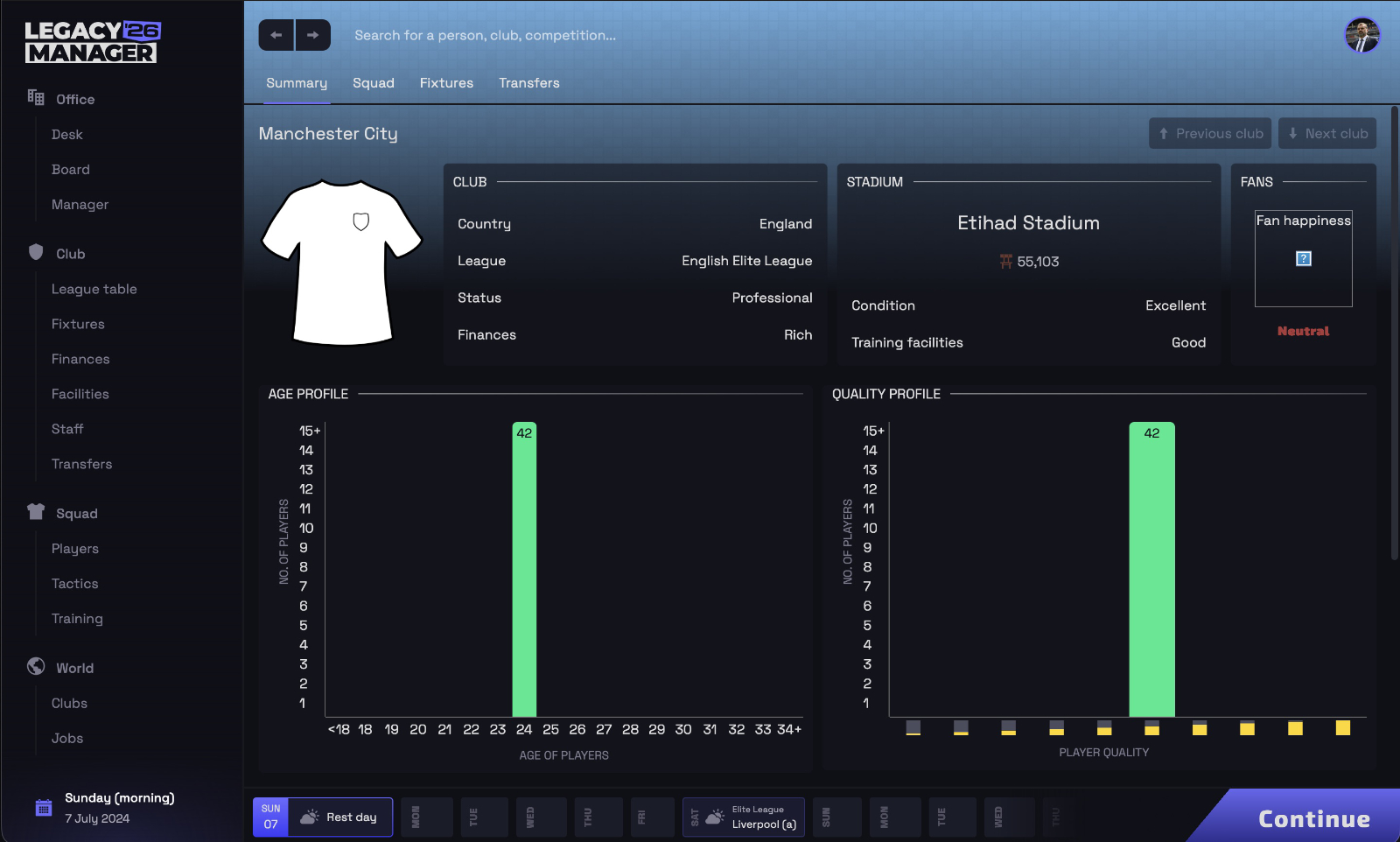
This was also the first step towards bringing club shirts in to the game.
Again you can see the same basic structure to the pages, but with a cleaner look and with colours implemented and a move to more graphical style content to give quick overviews of things such as player quality and ages.
Polishing things up
Now that I was comfortable with the basic structure and the general look, I started experminting with backgrounds and styling of less critical things such as the tabs and buttons.
First, the top bar was extended to take up the full width of the pitch, tabs. were re-styled, and I tried a photo style background.
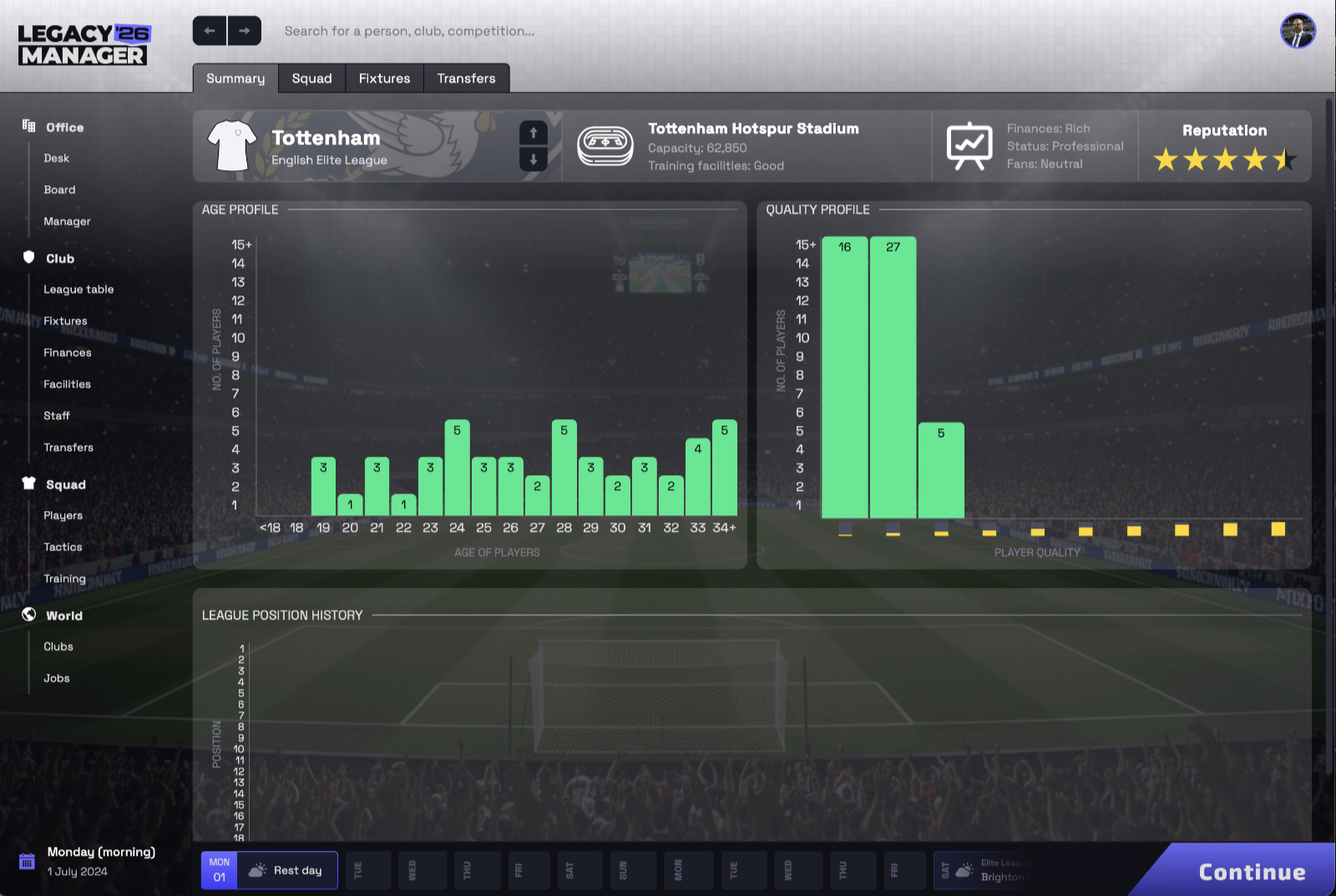
The photo backgrounds were quickly rejected as they caused all sorts of contrast issues, and licensing would have been impossible.
I switched to a solid background with a few colour contrasts to break it up and make things feel a little less "flat", and implemented final styling on buttons and text fields, seen here in the top bar.
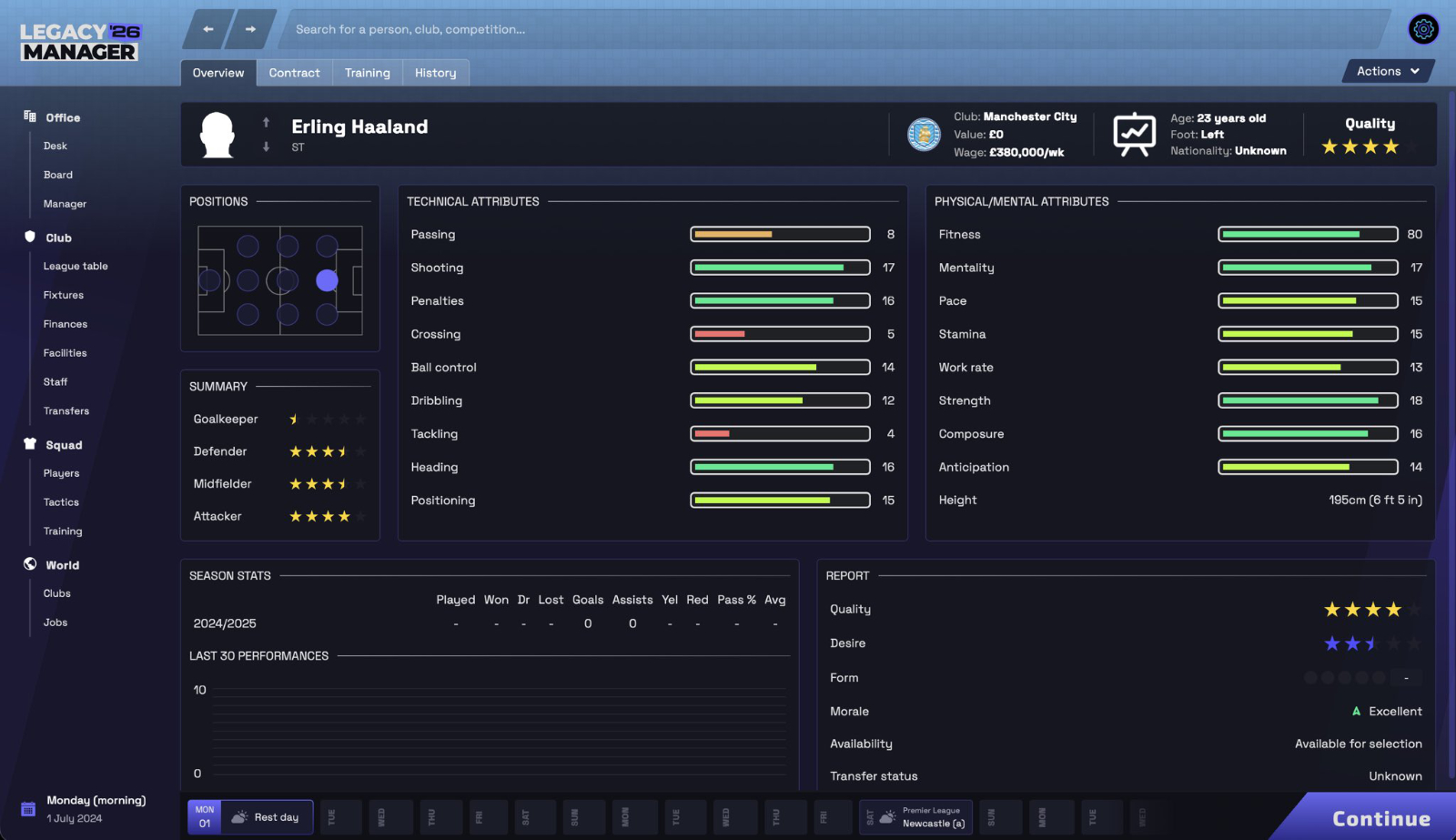
The player profile I designed to give you a quick overview of a player, before letting you explore them in more detail. With the up/down buttons next to the player photo, you can quickly skip through your squad and see stand-out players at a glance.
Where we are today
I'm in the final stretch now, and don't foresee changes beyond minor polish before launch. The final UI is just a slight tweak on the above.
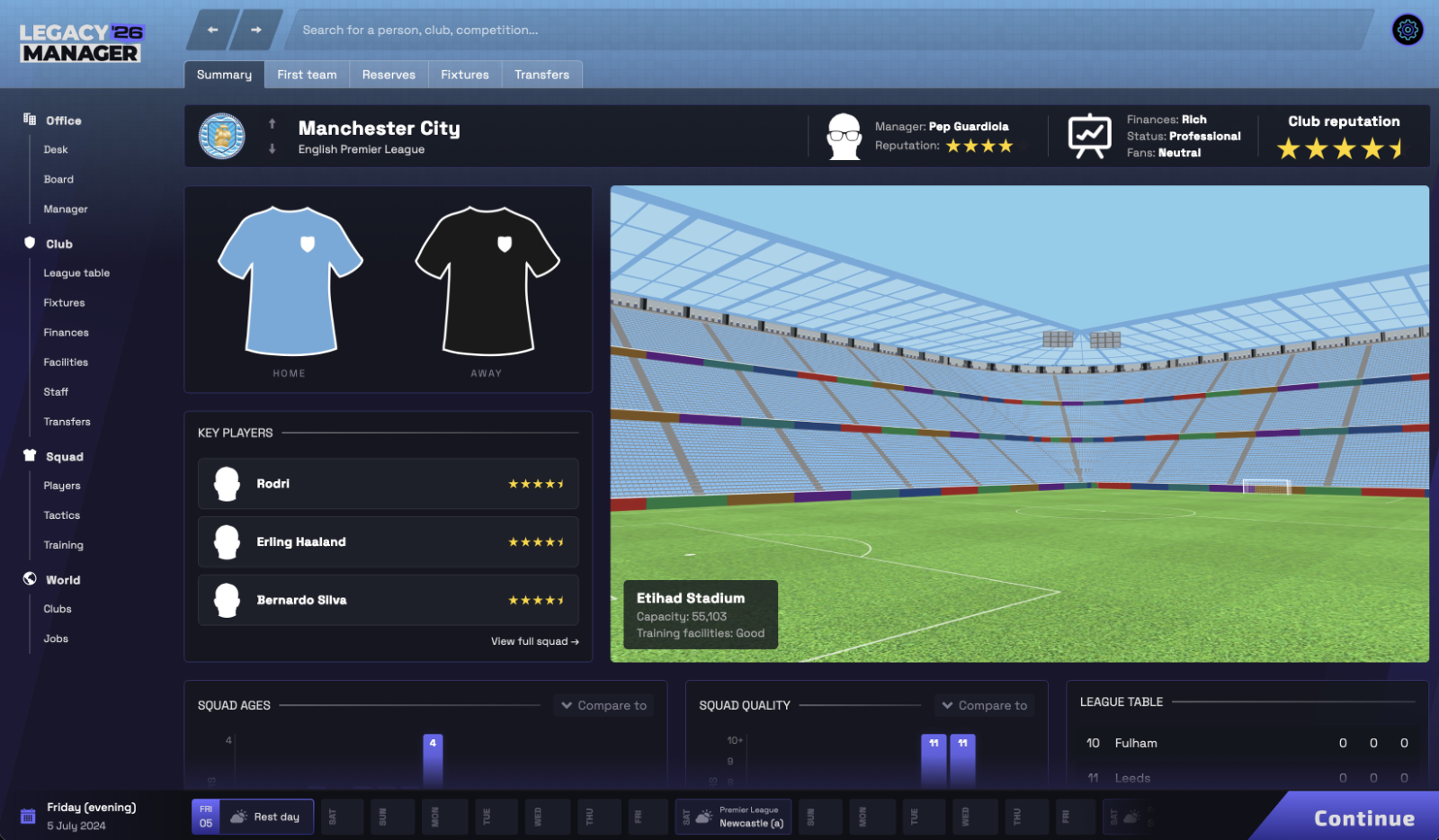
I've purposely uploaded the Man City club overview page again so that you can see the differences between the latest version and the first drats up in the "Back to the original style" section above.
Significantly, we now show:
- stadium interior, taken directly from the 3D match view (details of that coming in a later post). While not essential from a pure gameplay point of view, this was a continuation of the plan to make the game feel more unique as you moved between clubs
- home and away shirts
- basic club info and reputation
- key players. Especially useful when flicking through clubs you don't know much about
I have a few changes to the continue button, settings button, and date display in progress, but this is pretty much finalised now.
To me, looking back on the changes all at once, it's nice to know that the original layout we settled on all that time ago has survived all the changes and remains easy to use. I've spent hundreds of hours in the UI and am more convinved than ever that the weeks we put in to our original concepts were worth every minute. While the first and last images look very different at a glance, the structure remains almost idential.
I hope that was at least a bit interesting. If you'd like to give the game a go when it launches soon, put your email address in the box below and I'll be in touch once I have something for you.